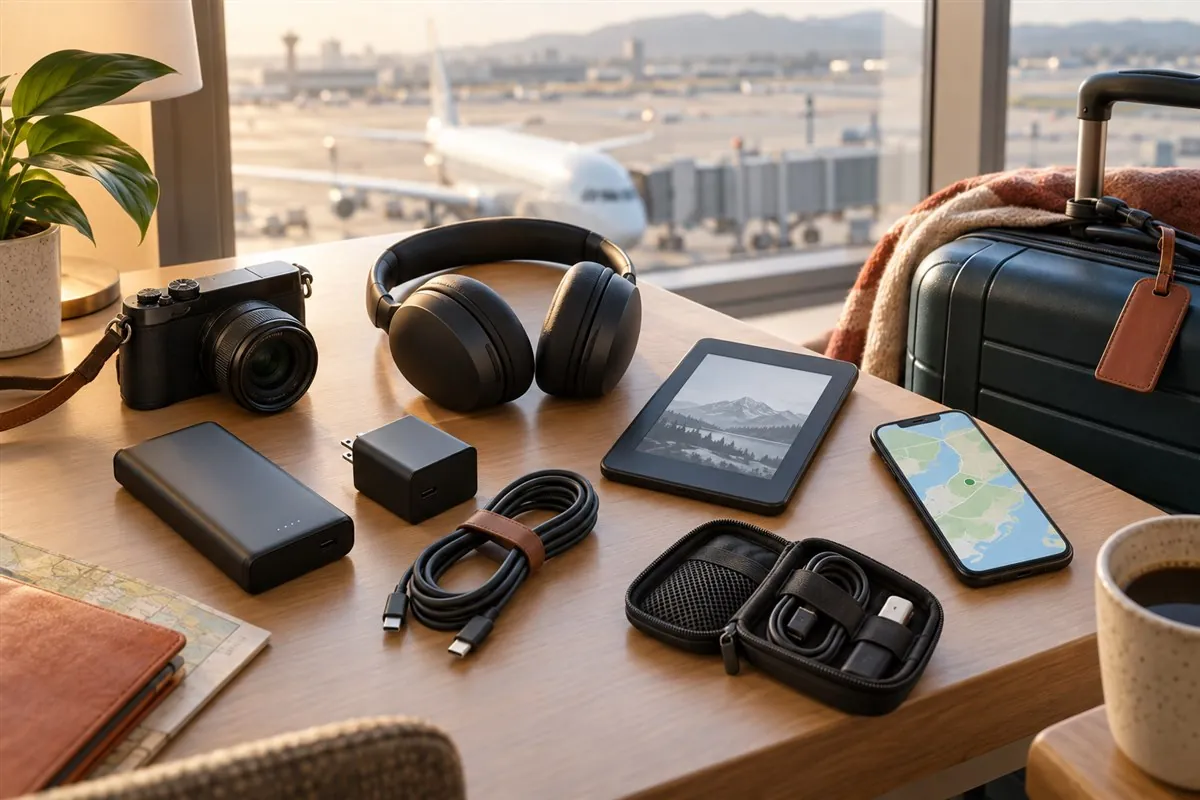
- A complete travel tech system
- Charging and battery safety
- Offline and data-security advice
- Seven practical product categories
Travel electronics should work as one small system
Travel electronics can make a journey easier, but only when every item has a clear job. A phone can hold boarding passes, maps, translations and reservations. A compact charger can power several devices. Headphones can make a long flight more comfortable, while a camera or e-reader can support a particular hobby. Problems begin when each gadget brings a separate plug, cable, battery and app. The better goal is not to carry more technology; it is to create one dependable system with as few points of failure as possible.
Start by listing what must remain available during a normal travel day. For most people, that means communication, navigation, payment, booking records and emergency contacts. Add work, photography or entertainment only when the trip genuinely requires them. Then identify the connector, charging wattage, battery capacity and storage needs of every device. This simple audit often reveals that one USB-C charger, two good cables and one suitable power bank can replace a pouch full of accessories.
This guide recommends product categories rather than claiming that one model is best for every traveller. Prices, stock and specifications change, and a product suitable for a weekend city break may be wrong for a month of remote work. Amazon buttons currently open tagged comparison searches using our Associate ID. When direct product links are added, always verify the live listing, seller, return policy, warranty and compatibility before purchasing.
- Give every device a specific purpose.
- Standardise on USB-C where practical.
- Count cables and adapters as part of each product's weight.
- Test the complete kit before departure.
1. A compact electronics organiser
A small electronics organiser is the foundation of a calm travel setup. It keeps cables from bending against other objects, prevents memory cards from disappearing into a suitcase and makes it easier to notice when something is missing. Choose a pouch by the equipment you actually own rather than filling a large case because it has many loops. A slim organiser that opens flat is usually easier to inspect at a seat or airport table.
Look for protected pockets, smooth zips, a light-coloured interior and elastic loops that hold cables without crushing connectors. Avoid placing loose batteries beside coins, keys or other metal objects. Keep the charger and arrival adapter accessible, and store one backup cable separately so a lost pouch does not disable the entire kit. Labels can help, but do not print a home address or sensitive account information on the outside.
2. One multi-port USB-C GaN charger
A multi-port charger can replace several power bricks, but the headline wattage does not tell the whole story. Check how power is divided when two or three ports are used together. A charger advertised at 100 W might deliver that amount through one port only, then reduce output when a phone or watch is connected. Match its USB Power Delivery profiles to the laptop, tablet and phone you intend to charge, and use cables rated for the required current and power.
Gallium nitride chargers are often compact for their output, which makes them useful for travel, but the GaN label alone is not a safety guarantee. Prefer clear electrical ratings, credible certification for the market, over-current and temperature protection, a traceable manufacturer and a meaningful warranty. A travel adapter changes the plug shape; it usually does not convert voltage. Read the input label on every charger and appliance before connecting it to a foreign supply.
3. A clearly labelled power bank
A power bank protects the device that carries maps, tickets and messages during long transfers. Capacity should be expressed clearly in watt-hours as well as milliamp-hours, because flight rules use Wh. The FAA says spare lithium batteries and power banks must travel in carry-on baggage, with terminals protected against short circuit. Lithium-ion batteries up to 100 Wh generally fit the standard passenger limit; larger units from 101 to 160 Wh require airline approval under the FAA framework, and an airline may apply stricter limits.
Choose enough capacity for the trip without buying an unnecessarily heavy battery. Confirm USB-C input and output, the charging protocol required by the phone or laptop, and the maximum output available while multiple ports are active. Do not carry a swollen, damaged or recalled unit. If a battery overheats, expands, smokes or burns during a flight, alert cabin crew immediately. If a cabin bag is gate-checked, remove the power bank and keep it with you in the cabin.
4. Headphones that remain comfortable for hours
Noise-cancelling headphones can reduce steady cabin and train noise, making speech easier to hear without pushing volume as high. Over-ear models often provide stronger passive isolation and long battery life, while earbuds save considerable space. Fit matters more than a feature list: pressure on the head, heat around the ears and unsuitable ear tips become obvious only after extended use.
Compare battery life with active noise cancellation enabled, transparency mode, microphone quality and whether wired listening remains possible when the battery is empty. Some aircraft entertainment systems still require a cable or two-prong adapter. Keep awareness mode available for boarding announcements and unfamiliar streets, and use moderate volume. Store small earbuds where they cannot fall between aircraft seats or remain behind in bedding.
5. Reliable storage for photos and documents
Travel photographs and work files should never exist in only one place. A compact portable solid-state drive can provide a fast local copy, but it is not a complete backup by itself. Keep the original files on the camera card or laptop until a second copy has been verified, and use encrypted cloud storage when connectivity and the sensitivity of the material permit it. Separate the backup drive from the device it protects so one lost bag does not remove both copies.
When comparing a portable SSD, check connector speed, cable type, device compatibility, encryption options and physical durability. A fast drive connected through a slow cable or port will operate at the slower link. Water- and drop-resistance claims apply only within stated test conditions and never replace a backup. Before the trip, format the drive in a file system supported by every device that must read it, then copy and restore a test folder.
6. A camera only when it improves the trip
Modern phones cover navigation, quick video and casual photographs extremely well. A separate camera earns its space when it provides a real advantage: a larger sensor, optical reach, weather protection, physical controls or a creative process the traveller values. Include the complete load in the decision—body, lens, battery, charger, cards and protective case—not just the camera's listed weight.
For a compact travel camera, consider stabilisation, autofocus, low-light results, USB charging, lens range and how comfortably it can be carried. Learn the controls and set the correct date before departure. Bring more memory than expected, but avoid storing an entire trip on one card. Follow local rules for tripods, drones, performances, religious sites and people; owning capable equipment does not create permission to photograph every place or person.
7. A tracker for luggage, keys or a camera pouch
A Bluetooth-network tracker can help indicate whether an item stayed behind or moved to another location. It is not continuous satellite GPS, and its position may be delayed because it depends on nearby compatible devices. Select the ecosystem that works with the traveller's phone, activate unwanted-tracking protections and test location, sound and battery status before leaving home.
A tracker supplements the airline's baggage tag and lost-bag report; it does not replace either process. Share useful location information with the airline or appropriate authority instead of confronting another person based on a map pin. The FAA advises travellers to check with their airline before carrying tracking devices, especially in checked baggage, because battery specifications and international rules matter.
Connectivity: eSIM, hotspot or local SIM?
Connectivity is part of the electronics plan even when it is not a physical gadget. An eSIM can be installed before arrival on a compatible unlocked phone. A local physical SIM may offer better value or local calling, while a portable hotspot can serve several devices but creates another battery to charge. Compare coverage at the actual destinations, data allowance, tethering policy, activation requirements and whether voice or SMS is needed for reservations.
Download offline maps, tickets, accommodation details and essential translations before travel. Do not depend on a single app being online at immigration, a railway gate or a rural road. CISA advises against using open public Wi-Fi for banking, shopping or other sensitive transactions; cellular data is a safer choice when available. Keep automatic connection disabled, verify the network name with staff and forget the network after use.
Protect the information inside your devices
The most valuable part of a phone or laptop may be the accounts it can open. Install operating-system and app updates before departure, use a strong screen lock and enable multi-factor authentication. Back up recovery codes somewhere separate and review which notifications expose private information on the lock screen. Device-finding features can help, but they should be configured and tested before anything goes missing.
Carry only the data required for the journey. Encrypt computers and removable storage, log out of accounts that are unnecessary, and avoid unknown USB cables. A USB data blocker can reduce data contact at an unfamiliar USB-A charging socket, but using your own charger in a normal power outlet is simpler when possible. Never leave an unlocked device unattended, including at hotel breakfast or an airport security tray.
- Update and back up before departure.
- Use a strong screen lock and multi-factor authentication.
- Download essential records for offline access.
- Use cellular data for sensitive transactions when possible.
- Keep recovery information separate from the device.
A final travel electronics packing test
Two days before departure, place every electronic item on a table with the cable, adapter and case it requires. Charge all devices from the system you plan to carry. Transfer a file to the backup drive, connect the headphones by cable and Bluetooth, locate the tracker, open offline maps and confirm that the power bank displays a legible capacity rating. Remove duplicates that do not solve a specific failure.
Pack power banks and spare lithium batteries in accessible carry-on baggage with terminals protected. Keep delicate devices away from crushing loads, liquids and extreme heat. Save model and serial numbers privately for insurance or reporting. Finally, check the operating airline's current battery and baggage policies, because carrier rules and national requirements can be stricter than general guidance. A good travel electronics kit should disappear into the routine of the journey: charged, organised, secure and ready when needed.
Frequently asked questions
What electronics should I take when travelling?
Start with a phone, suitable charger, tested cables and, when needed, a compliant power bank. Add headphones, storage, a camera, e-reader or tracker only when each item solves a real need on the itinerary.
Can power banks go in checked luggage?
No. FAA guidance requires spare lithium batteries and power banks to remain in carry-on baggage with protection against damage and short circuit. Always check the operating airline's current rules.
Does a travel adapter convert voltage?
Most travel adapters only change the plug shape. Check every device's accepted input voltage and frequency before connecting it abroad.
How can I reduce the number of travel cables?
Standardise on USB-C where practical, select a charger with suitable multi-port power allocation and carry one tested backup cable separately.
Is airport public Wi-Fi safe?
Open public Wi-Fi can expose sensitive activity. Avoid banking or shopping on an untrusted network, verify network names and prefer cellular data for sensitive transactions when possible.
Should I travel with a portable SSD?
A portable SSD is useful for local backups, but keep at least one additional verified copy. Test compatibility, encryption and file restoration before departure.
Are luggage trackers allowed on flights?
Small trackers may be permitted when they meet applicable battery requirements, but airline and international rules vary. Check with the operating carrier before travel.
Are the Amazon links affiliate links?
Yes. Eligible Amazon links use the Associate ID jalajahtravel-20, and qualifying purchases may earn this site a commission at no additional cost to the buyer.
Sources and further reading
We used the following primary consumer resources to review time-sensitive claims in this guide.
Compare travel electronics in one place
Check the exact model, voltage, battery rating, device compatibility, seller and warranty before ordering.
Affiliate disclosure. As an Amazon Associate, we may earn from qualifying purchases made through eligible links on this page, at no additional cost to you. Product availability and specifications can change; editorial guidance remains independent of commercial relationships.